



Video production software built for creators and teams
Peliku is video production software that brings content planning, shoot preparation, production tracking, tasks, scheduling and team organization into one connected workspace. Manage the full process from the first idea to publication without scattering your work across different tools.
Video production software should connect the whole process
Video production becomes difficult when ideas, scripts, tasks, shoot preparation and publishing plans all live somewhere different.
A structured production process also helps creators reduce unnecessary back-and-forth between planning, filming and post-production. You can learn more about the different stages of video production in Adobe's video production guide .
Peliku connects what happens before filming, during the shoot, after recording and right up to publication, giving creators and teams one system they can reuse from one video to the next.
Start with a clear overview
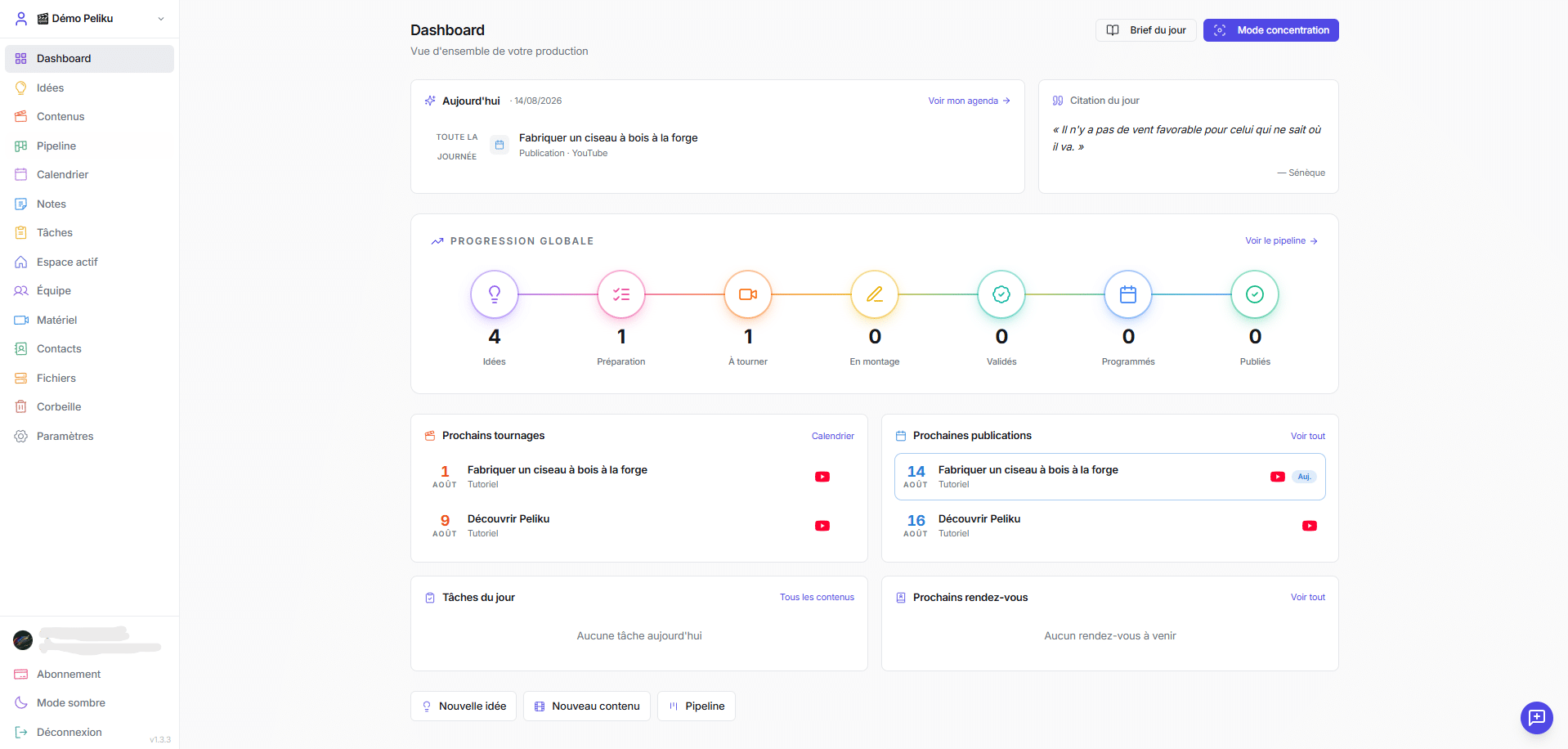
Instead of opening several tools to understand what is happening, Peliku's video production software dashboard brings together today's agenda, production progress, upcoming shoots, publications, tasks and appointments.
- Production overview
- Brief of the day
- Focus mode
- Upcoming shoots
- Upcoming publications
- Today's tasks
Click to enlarge
Capture ideas before they disappear
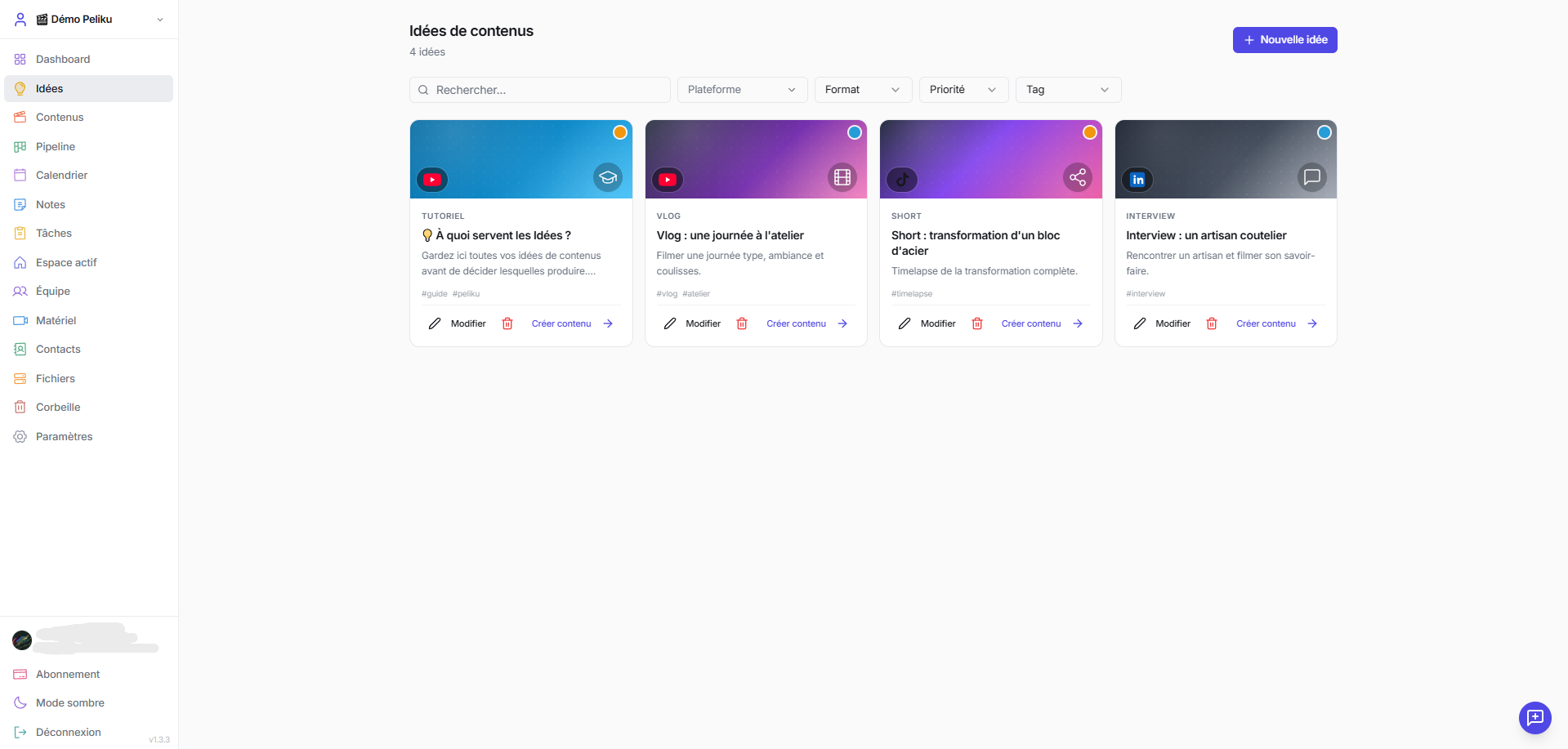
Keep potential content in one dedicated space instead of scattering ideas across notes, messages and bookmarks. Filter them and turn the strongest ideas into real content projects.
- Idea cards
- Platforms
- Formats
- Priority
- Tags
- Turn ideas into content
 Click to enlarge
Keep every video organized
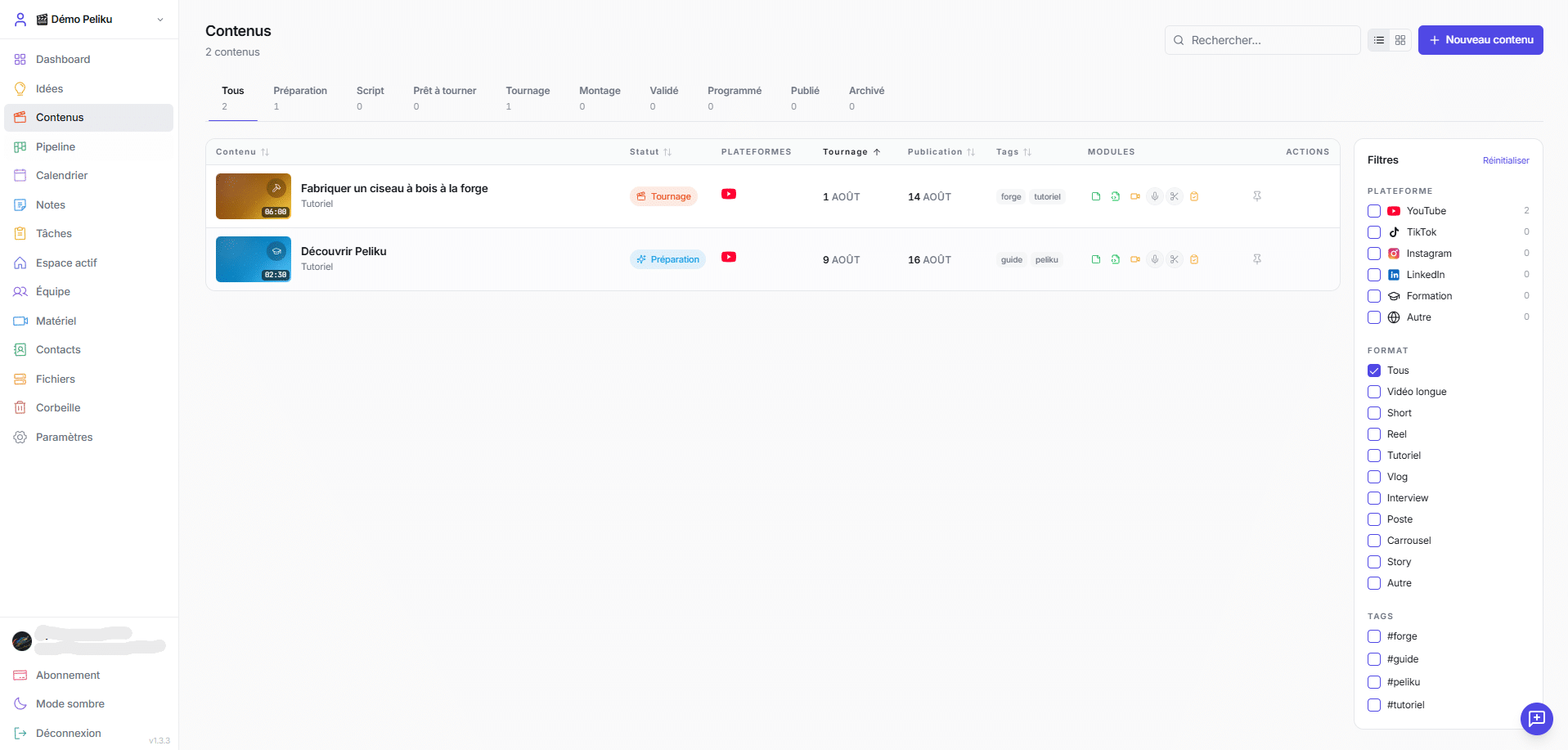
The content library gives you one searchable view of everything currently in production, with filters for status, platform, format and tags.
- Content library
- Status filters
- Platform filters
- Format filters
- Tags
- Production modules
 Click to enlarge
See exactly where every video stands
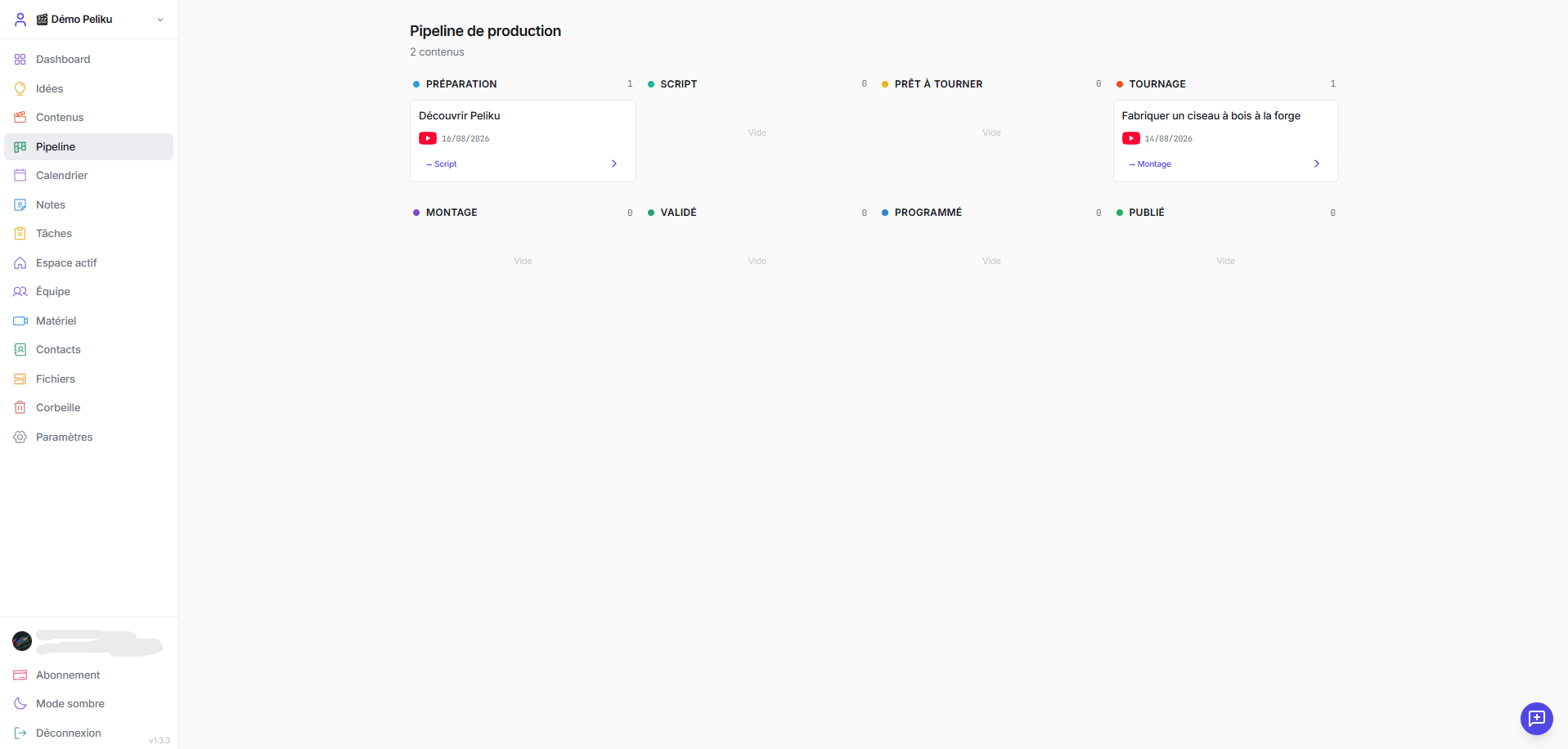
Follow each project through every production stage inside the same video production software instead of relying on memory or manually updating different tools.
- Preparation
- Script
- Ready to shoot
- Shooting
- Editing
- Approved
- Scheduled
- Published
 Click to enlarge
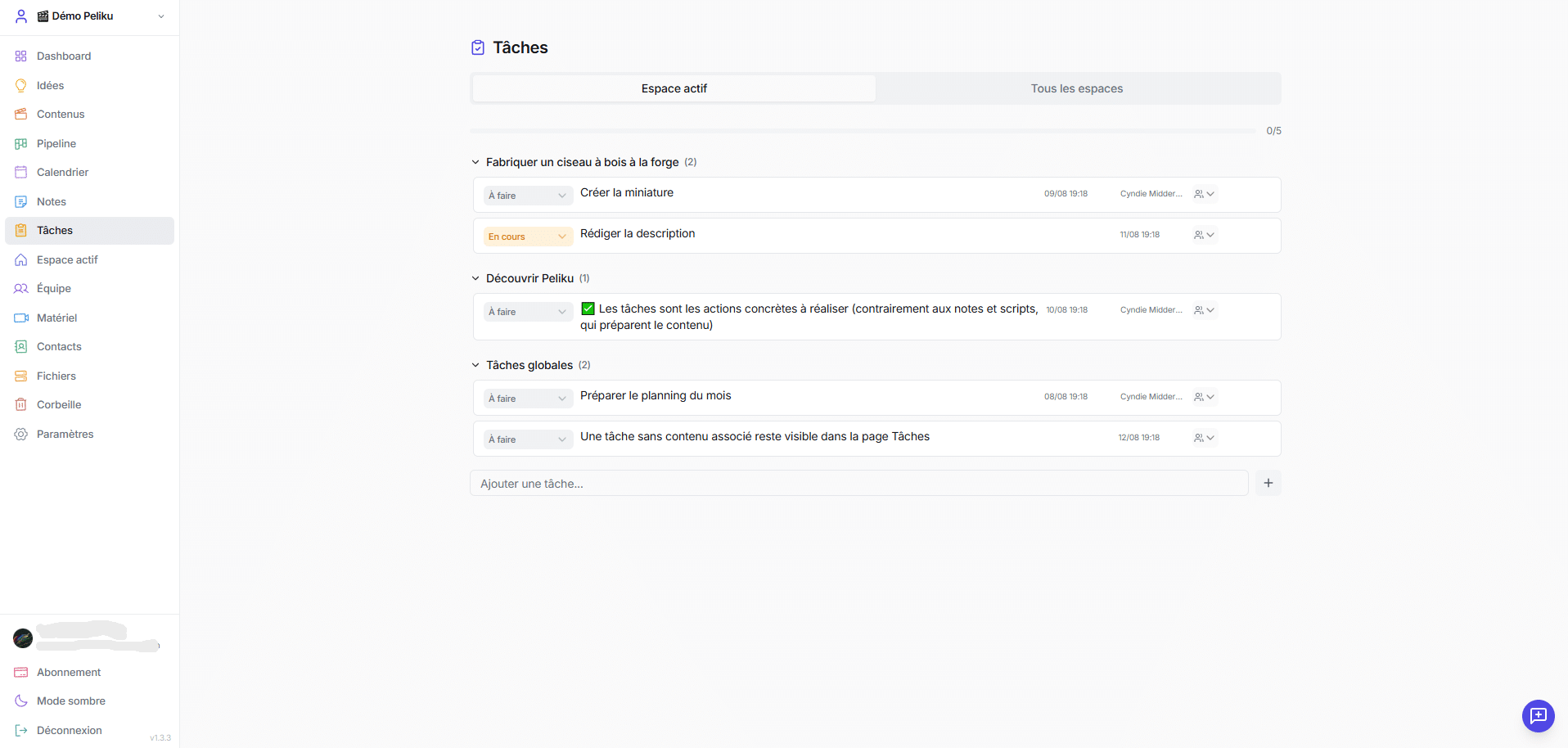
Turn production into clear actions
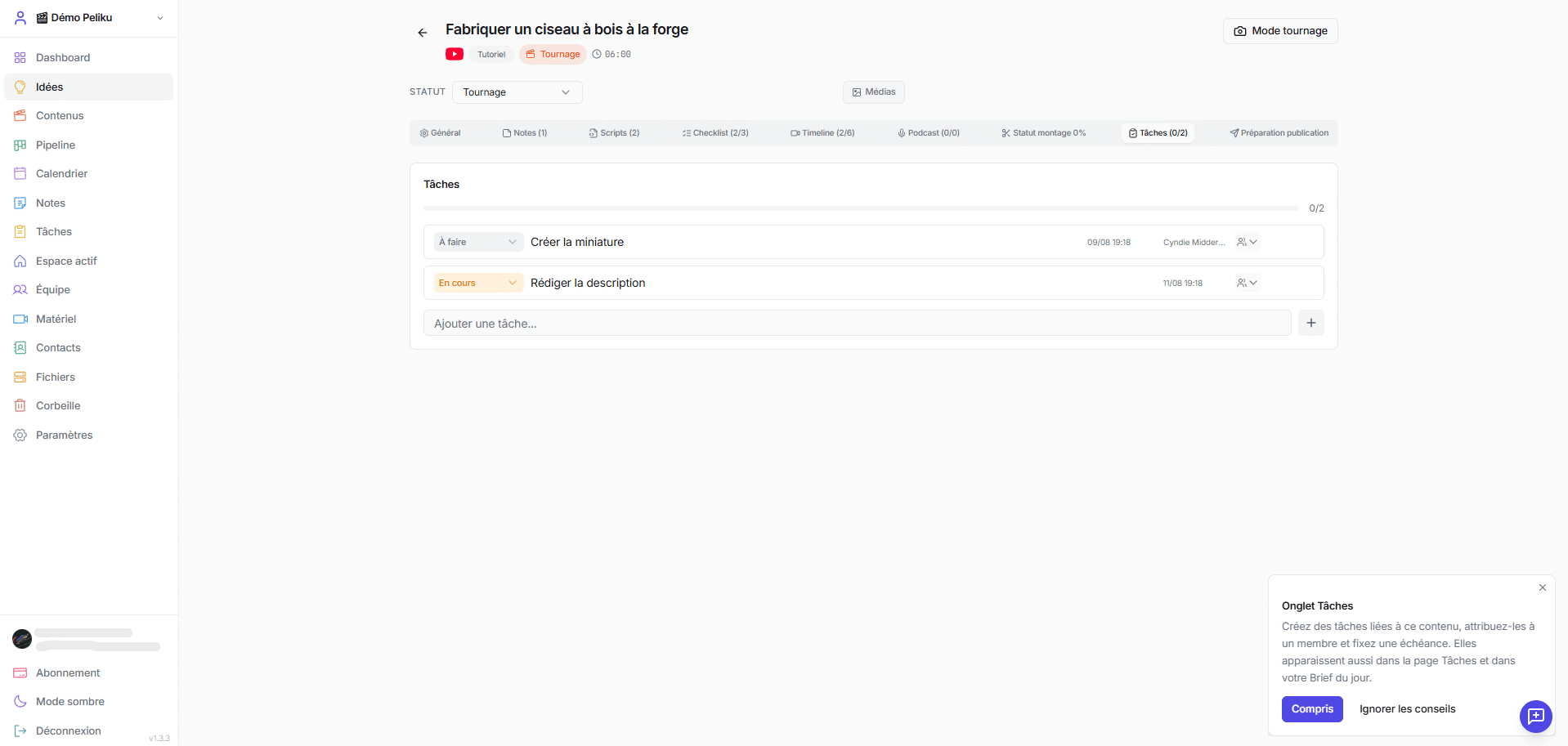
Create tasks directly inside a content project or add general tasks that are not tied to one video. Assign work, add deadlines and track progress from one task view.
- Content tasks
- Global tasks
- Assignments
- Status tracking
- Deadlines
- All-workspaces view
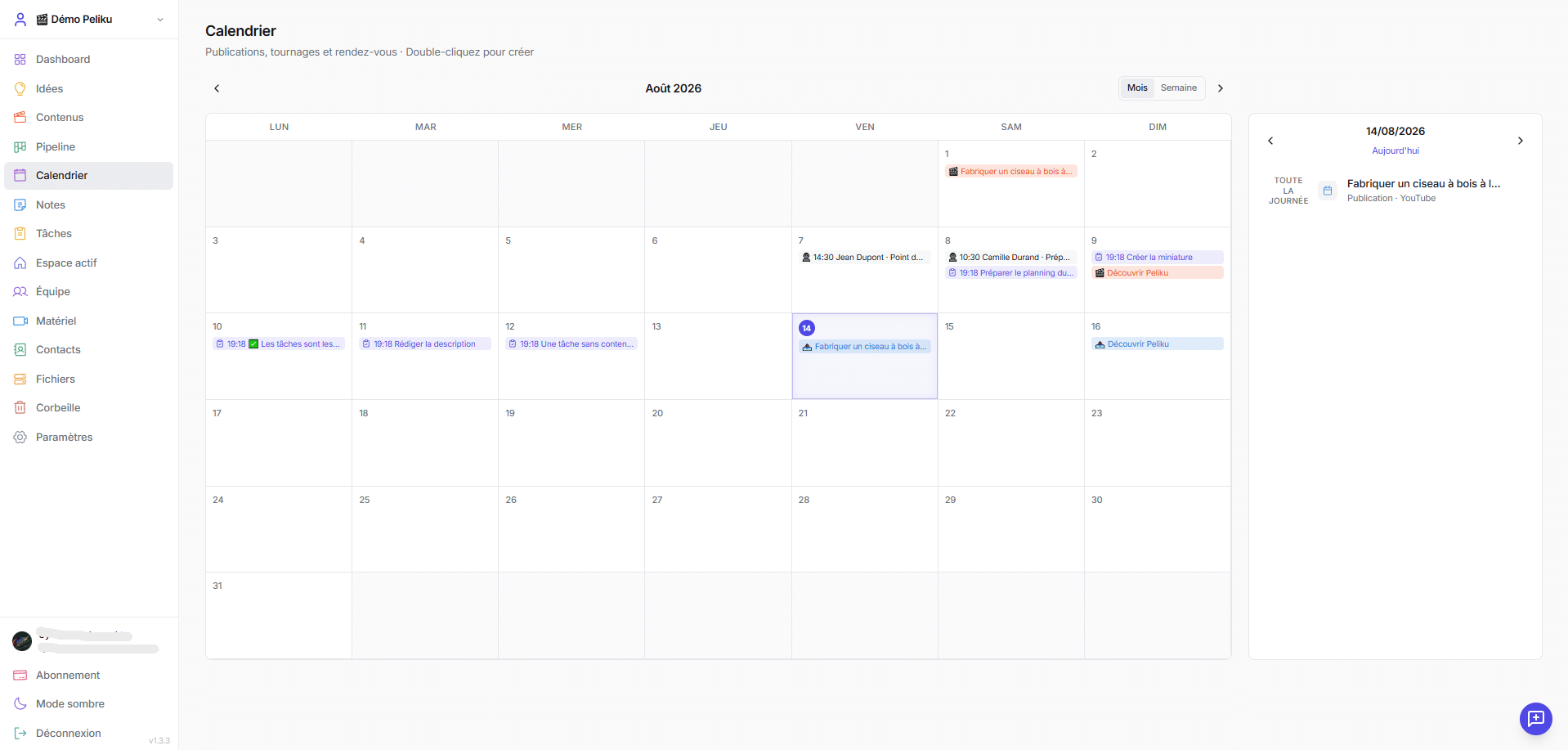
See production dates together
Shoots, publications, tasks and appointments can all live inside the same calendar so your production schedule stays visible.
- Shoots
- Publications
- Tasks
- Appointments
- Month view
- Week view
 Click to enlarge
Keep useful information close to production
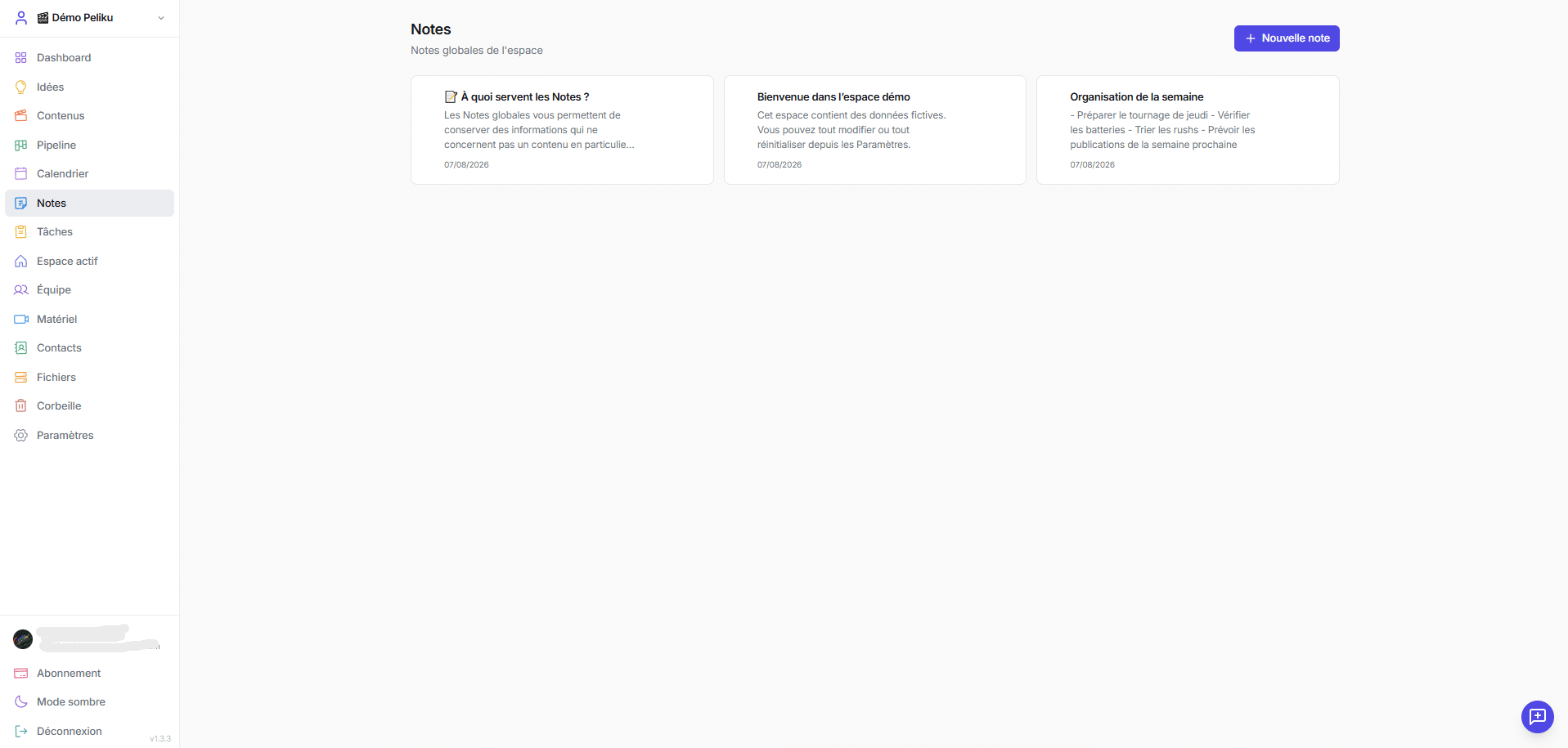
Not everything belongs inside a specific content project. Global notes give you a simple place for information, reminders and ideas that concern the whole workspace.
- Global notes
- Personal workspaces
- Shared workspaces
- Edit and copy
- Workspace knowledge
 Click to enlarge
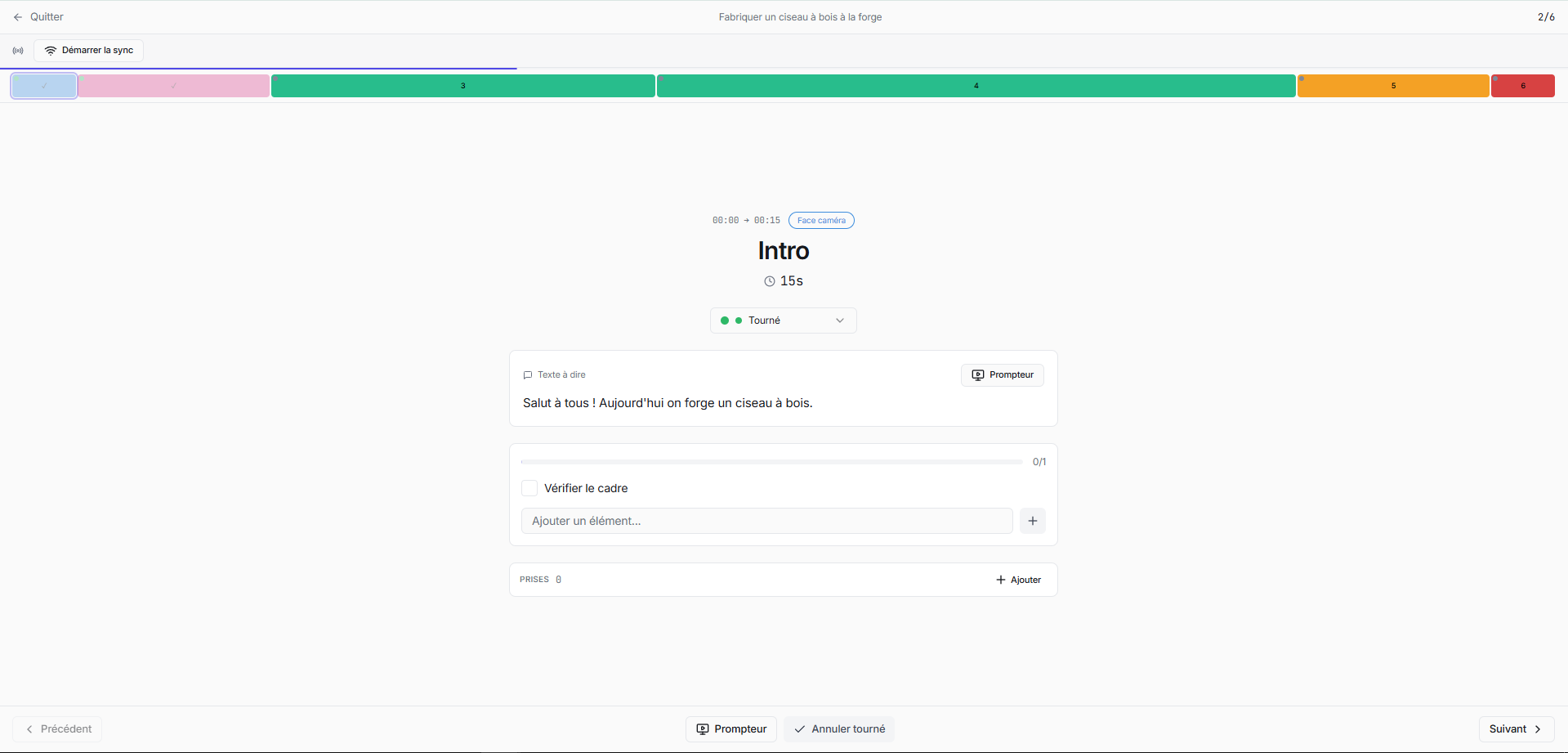
Use the plan while you record
Shoot Mode turns preparation into a practical filming interface. Follow each planned shot, see the script, check what needs to be done and track takes while recording.
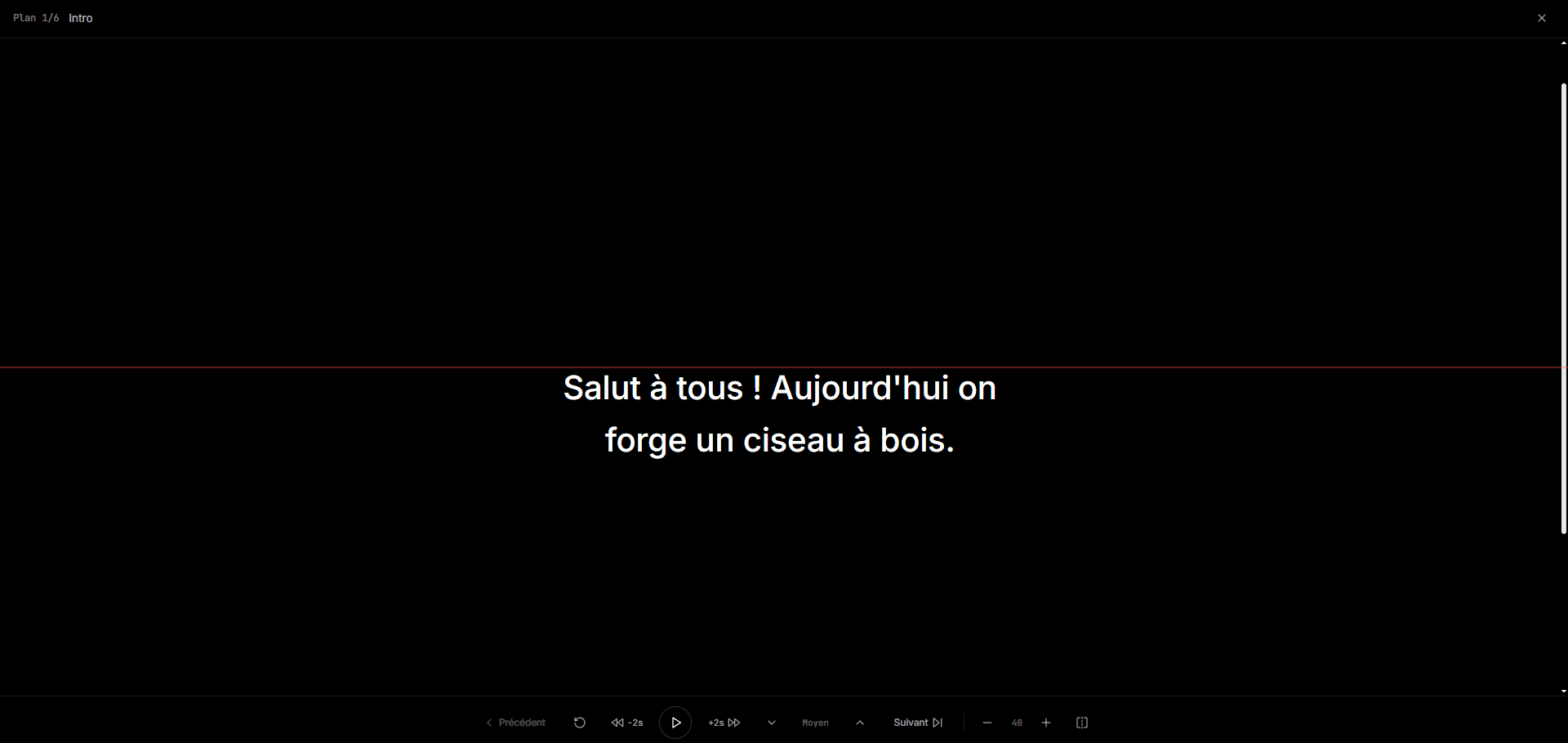
The teleprompter can also run on another device while the main device controls the shoot.
- Shot-by-shot filming
- Shooting checklist
- Take tracking
- Script access
- Built-in teleprompter
- Multi-device sync
Start alone. Bring your team when you need them.
Peliku is video production software for both solo creators and teams. Start with your own workspace, then bring editors, collaborators or production teams into shared spaces when you need them.
Assign work, share production information and keep everyone aligned on where content stands without rebuilding the workflow somewhere else.
Shared workspaces
Keep collaborative production separate from personal work.
Assignments
Give tasks to the right person and keep responsibility visible.
Notifications
Keep track of relevant production activity and mentions.
Production resources
Keep equipment, contacts and useful files available to the workspace.
Video production software that takes you from idea to published
Plan content, prepare shoots, manage production tasks and keep every project moving in one connected workspace.