
Video planning template: What we actually prepare before filming
We don't want to fill in a huge document before every video. We just want the useful information in one place before we start writing, filming and editing.
We've tried planning videos with almost nothing, and we've also tried writing down far too much. Neither extreme worked particularly well for us.
If we don't prepare enough, we end up making important decisions while filming. But if the planning takes longer than the video itself, we probably went too far.
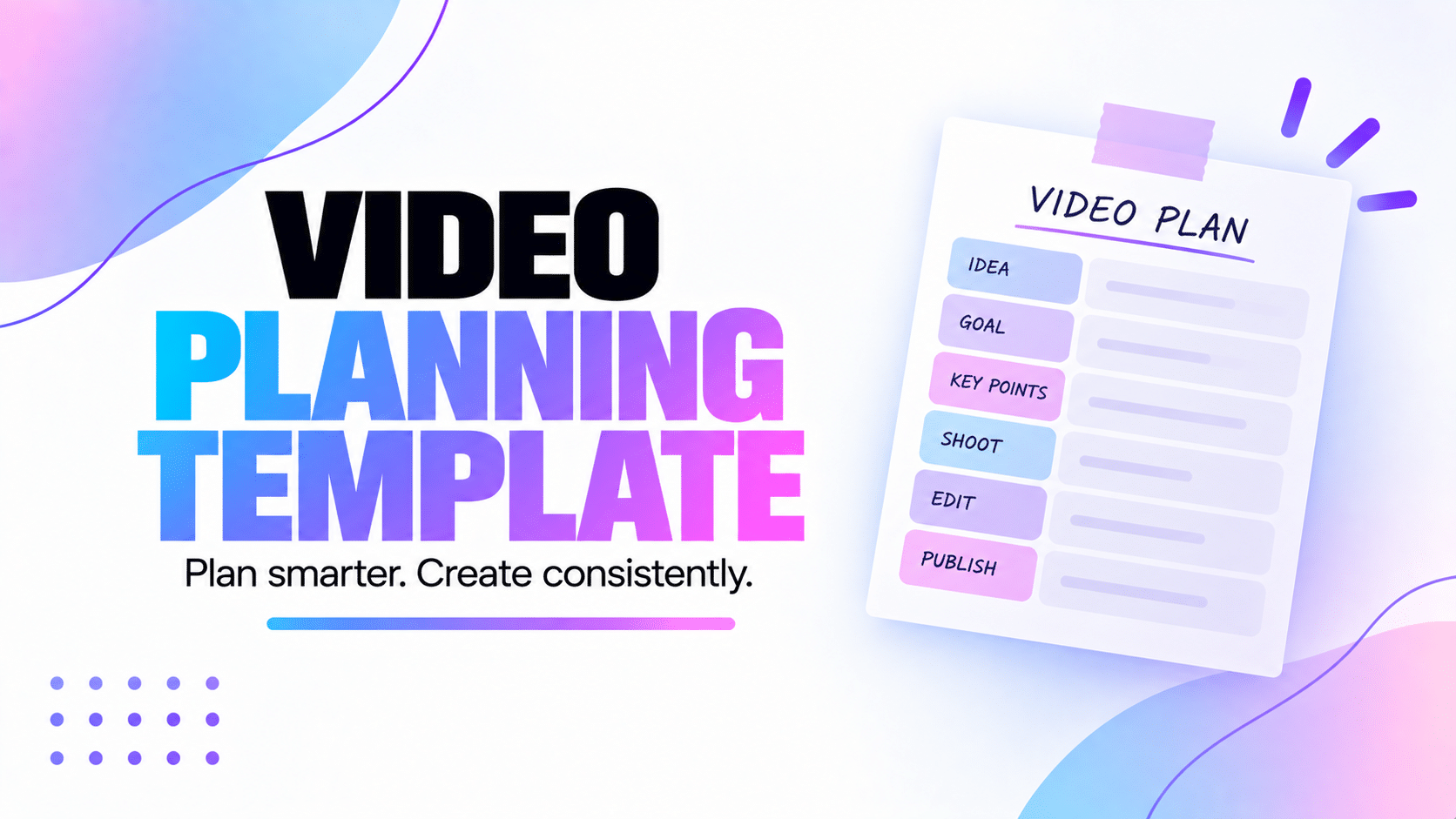
What we actually need is somewhere to keep the information that will help us later. What's the video about? Who are we talking to? What's the main point? What do we need to film? When are we doing it?
That's what we mean by a video planning template. Not a giant form we have to complete before we're allowed to create. Just a simple structure we can adapt depending on the video.
In this guide
- What we put in a video planning template
- How we define the goal and audience
- How we choose the angle and main message
- What we prepare before scripting and filming
- How we adapt the template to different videos
- How we keep planning connected in Peliku
Why we use a video planning template
An idea usually makes sense when we've just had it. The problem is coming back to it three days later.
We might remember the general subject, but not the angle we had in mind or the example we wanted to use. And if someone else is working on the project with us, they definitely can't see what was happening in our head when we wrote "video about organization".
A little planning gives the idea enough context to become something we can actually work on.
It also helps us separate two things that used to get mixed together: deciding what the video is and writing the actual script.
We prefer to make the main decisions first. Then when we start scripting or filming, we're not still trying to figure out the whole point of the video.
We don't need to know every detail before we start. We just want enough information that the next step feels obvious.
Our video planning template in practice
We don't fill in every part for every video. A quick Reel might only need a goal, an angle and a few notes. A longer YouTube video might need much more.
But these are the main things we like having available when a project needs them:
That might look like a lot when it's written as a list, but most of these can be answered in one sentence. We're not writing a marketing report. We're giving ourselves enough context to make the content.
1. What are we trying to do with this video?
We start with the goal because it changes almost everything else.
Are we trying to explain something? Show a feature? Share an experience? Make someone laugh? Get people interested in a product? Answer a question we keep receiving?
A video can obviously do more than one thing, but we like having one main goal. Otherwise it's very easy to keep adding ideas until the video is trying to do everything at once.
2. Who are we talking to?
We don't need a giant audience persona with a name, favourite coffee and twenty pages of demographic information.
We just want to know who we're speaking to well enough to explain the subject properly.
A beginner doesn't need the same explanation as someone who already knows the subject. A creator working alone doesn't necessarily have the same problems as an agency managing ten clients.
Knowing who we're talking to helps us decide what needs explaining and what we can leave out.
3. What's our angle?
This is the part that turns a broad topic into an actual video.
"Video scripts" is a topic. "How we write scripts without sounding like we're reading" is an angle.
"Content organization" is a topic. "Why our videos kept getting stuck before publication" is an angle.
The angle gives us a direction and stops the video from becoming a collection of everything we know about the subject.
4. What's the one thing we want people to remember?
This is our main message.
If someone watches the whole video and remembers only one thing afterwards, what do we want that thing to be?
We try to write it simply. It doesn't need to sound like a slogan. It's mostly there to help us notice when the script starts drifting away from the point.
5. What problem are we talking about?
Not every video needs a dramatic problem, but a lot of useful content starts because something isn't working as well as it could.
Maybe creators keep losing track of their videos. Maybe writing scripts takes too long. Maybe they reach editing and realise they forgot half the shots.
In Peliku, we call this the Pain point. It's simply the problem, frustration or difficulty behind the content.
6. What does someone get from watching?
This is the other side of the problem. If someone gives us their time, what are we giving them back?
Maybe they'll understand something better. Maybe they'll have a process they can try. Maybe they'll save time. Maybe they'll simply feel less alone because we've had the same problem.
We call this the Main benefit. Again, it can be one simple sentence.
7. How do we want the video to feel?
We added this because two videos can say almost the same thing and still feel completely different.
Do we want the person watching to feel reassured? Curious? Motivated? Amused? Like we're having a normal conversation with them?
Thinking about the emotion can change the writing, pacing, visuals and even the way we speak on camera.
We don't need to overthink it. It's just another small clue that helps us make choices later.
Then we decide what the video actually needs
Once the idea itself is clear, we can start thinking about production.
This is where the planning becomes more practical. What format are we making? Which platform is it for? Do we need a full script? Do we need B-roll? Is there a filming date?
We don't necessarily answer all of those questions immediately, but having the content direction clear makes them much easier to answer.
Format and platform
A vertical short video and a longer YouTube video might start from the same idea but become completely different pieces of content.
Knowing the format and platform early helps us think about length, framing, pacing and what we'll eventually need for publication.
Script or talking points
Once the planning is clear, we can decide how much scripting the video actually needs.
Sometimes we write every word. Sometimes we only need an outline. The preparation gives us enough context to choose instead of automatically writing a full script for everything.
Our video script guide explains how we handle that part.
Shots and filming needs
We also start thinking about what people need to see. Do we need screen recordings? Close-ups? B-roll? A specific location? Equipment or props?
We don't necessarily build the full shot list during the first planning session, but we can already spot anything that might affect the production.
Then, when the project gets closer to filming, we can move into proper video shoot planning.
Important dates
If the content needs to be published on a specific date, we want to know that before we're already late.
We can work backwards from the publication date and decide when preparation, filming and editing need to happen.
That's the part we cover in more detail in our video production timeline guide.
A video planning template shouldn't make every video identical
This is important to us because templates can easily become rules.
You create a template with twelve fields, so suddenly you feel like every project needs twelve answers before you can start.
We don't work like that.
If we're making a simple video and we already know what we want to say, we might only use a few pieces of the planning. If we're preparing something larger, we can go into much more detail.
Quick social video
We might only need the idea, angle, main message and a few talking points before filming.
Tutorial
We usually need a clearer structure, the steps we're teaching, screen recordings or shots and enough preparation to make sure we don't miss anything.
YouTube video
We may spend more time on the hook, structure, script, B-roll, thumbnail idea and production dates.
Team project
We also need enough information that someone else can open the project and understand what we're making without us explaining everything again.
The template is there to give us somewhere to put useful information. It isn't a checklist we have to complete for the sake of completing it.
The planning mistakes we've made ourselves
Most of our mistakes came from either planning too little or trying to plan absolutely everything.
Starting with a topic instead of an actual idea
"YouTube", "productivity" or "video editing" aren't really enough to start a useful project. They're subjects.
We need to decide what we're actually saying about the subject before the rest of the planning becomes useful.
Trying to answer everything in one video
Once we start planning, it's easy to see all the related things we could talk about and keep adding them.
We try to come back to the main message. If another idea is useful but doesn't belong in this video, we'd rather turn it into another piece of content.
Filling fields because they're there
This is exactly what we don't want Peliku to become.
If a field doesn't help us with a particular project, we don't need to invent an answer just to make the planning look complete.
Planning so much that we never start
At some point, we need to stop preparing and actually make the video.
We want enough clarity to move forward. We don't need to predict every decision we'll make during filming and editing.
Not updating the plan when the idea changes
Sometimes the project changes while we're working on it. We find a better angle, remove a section or realise the original format isn't right.
That's fine. The plan isn't something we're locked into. We'd rather update it than keep following an idea we no longer think is good.
Enough planning that we know what we're doing, but not so much that planning becomes the reason we never actually create anything.
How Peliku becomes our video planning template
We didn't want to create a separate planning document for every video and then copy that information into the rest of the production later.
In Peliku, the planning stays with the content itself. We can start with an idea, turn it into a project and keep adding the information we need as the project becomes clearer.
The General section can hold things like the goal, audience, angle, main message, pain point, main benefit and target emotion.
Then the same content can move into the next parts of the workflow without starting over:
That's the part we find useful. The planning isn't a document we finish and forget. It becomes the starting point for the rest of the production.
We can add more detail when we need it
Once the project grows, we can add a script, tasks, notes, shooting information and important dates without losing the original idea and preparation behind it.
That also means we don't need to decide everything on day one. We can start with the information we already have and add the rest when it becomes useful.
Other people can understand the project too
This becomes even more useful when we're not working alone. If someone joins the project to help with filming, editing or another part of production, they can see what we're trying to make without us having to explain the whole idea again.
The goal, message, script, tasks and production information all stay connected to the same content.
We want to open a project a week later and still understand the idea we had, why we wanted to make it and what we need to do next.
FAQ about video planning templates
What is a video planning template?
A video planning template is a simple structure for keeping the useful information about a video in one place before production. It can include the goal, audience, angle, main message, format, script needs, filming information and important dates.
What should I include in a video planning template?
We usually start with the goal, audience, angle and main message. Depending on the project, we may also add the problem we're talking about, the main benefit, the emotion we want to create, the format, platform, script, filming needs and production dates.
Do I need to fill in every part of the template?
No. We only use the information that helps with the project. A simple social video might need very little planning, while a longer or more complicated production may need much more detail.
What's the difference between video planning and scripting?
We use planning to decide what we're making and why. The script comes afterwards and focuses on what we're actually going to say. Keeping those stages separate helps us avoid writing before the direction of the video is clear.
Can I use the same video planning template for YouTube, Instagram and TikTok?
You can use the same basic structure, but you don't need the same level of detail for every platform. The goal, audience and main message can stay useful everywhere, while the format, length, shots and publishing needs may change.
How much should I plan before filming?
We plan until we understand what we're making and have enough information to move forward without guessing the important parts. For some videos that's a few minutes. For others it can take much longer. We stop when more planning isn't helping anymore.
For us, the best template is the one we actually use
We could make a video planning template with thirty fields and cover every possible situation. It would look very complete. We'd probably also stop using it after a week.
What works better for us is having the useful questions available and answering the ones that make sense for the project in front of us.
Sometimes we only need to know the goal, angle and main message before we start. Other times we need a script, shooting plan, tasks and several production dates.
The important part is that the planning helps us move forward. When we finish preparing a video, we should understand what we're making well enough to start the next stage without having to figure everything out again.
That's what we want from a video planning template. Not more paperwork. Just a clearer starting point.
Start with the idea. Keep the useful stuff around it.
Peliku helps us keep the goal, audience, angle, script, tasks and production information connected as an idea turns into a real video.