



Video production timeline: How we plan without rushing everything at the end
We used to choose a publication date and assume we'd somehow get everything done before it. That worked until it didn't.
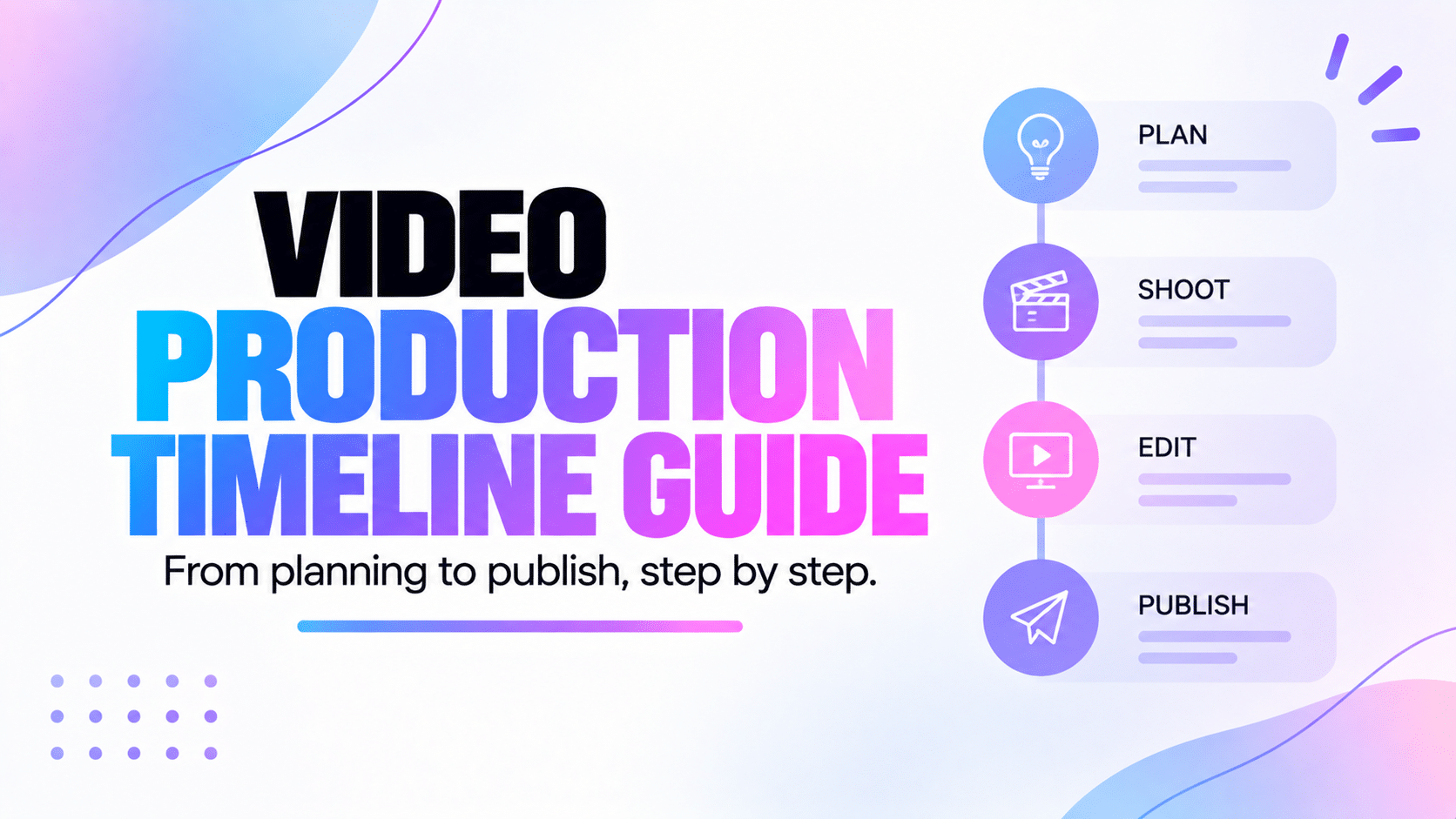
For a while, our video production timeline was basically just a publication date. We'd decide when we wanted the video to go live, look at the calendar and think we had plenty of time.
Then the deadline would get closer and we'd realise the script still needed work, filming hadn't happened yet and editing hadn't even started. And of course, we still needed the thumbnail and everything else for publication.
That's when we started planning the work before the deadline instead of only planning the deadline itself. We didn't want to schedule every minute of our week. We just wanted to see problems before everything became urgent.
In this guide, we're sharing how we build a video production timeline, what we actually put in it and how we try to leave enough room for real life when our original plan doesn't go exactly as expected.
In this guide
- Why a publication date isn't enough
- The stages we include in our timeline
- How we estimate how long things will really take
- Why we plan backwards from publication
- How we handle several projects at once
- The scheduling mistakes we've made ourselves
Why we started using a video production timeline
When we're making one video with no real deadline, we can get away with a pretty loose plan. We write when we're ready, film when we have time and publish when the video is finished.
It gets harder when we want to publish regularly or when several videos are moving at the same time. If all we know is that a video needs to be online on Friday, that doesn't tell us when the script needs to be ready, when we should film or how much time we've actually left for editing.
That's what the timeline gives us. Instead of seeing one big deadline at the end, we can see the work that has to happen before we get there.
And if a video is supposed to be published tomorrow but we're still writing it today, we know the problem didn't suddenly appear today. We just noticed it too late.
Instead of only asking when we want to publish, we ask what needs to happen before we can publish.
What goes into our video production timeline?
We use the same general stages as our production workflow, but we don't put a deadline on every tiny thing. That would make a simple video much more complicated than it needs to be.
Our full workflow in Peliku currently looks like this:
For the timeline itself, we usually think about five bigger parts: preparation, scripting, filming, post-production and publication.
1. Preparation
Before we worry about filming dates, we need to know what we're actually making. This can be really quick for a simple video, or it can take much longer if the project needs research or more planning.
This is where we decide things like the goal, audience, angle and main message. We used to underestimate this part because it didn't feel like production yet, but skipping it usually meant doing the same thinking later when it was much less convenient.
2. Script and pre-production
Once the idea is clear, we can work on the script or talking points and prepare what we'll need for filming. That might include a shot list, equipment, a location, props or anything else specific to the video.
This is also why we have a Ready to shoot stage in Peliku. Knowing what we want to say and actually being ready to film it aren't always the same thing.
If scripting is something you want to improve, our guide on how to write a video script goes into that part separately.
3. Filming
Filming is usually one of the easiest things to put on the calendar because it often has a real date and time. But we try not to plan only the time the camera will actually be recording.
We still need to set everything up, check the audio and lighting, do retakes, capture B-roll and pack things away afterwards. A one-hour shoot can easily take a much bigger part of the day.
That's why we try to plan the real filming session instead of pretending the recording time is the whole job.
We've also written a video shoot planning guide if you want to go further into preparing the shoot itself.
4. Editing and post-production
This is probably the stage we've underestimated the most. "Edit the video" sounds like one task, but there can be a lot hiding inside it.
- Organizing the footage
- Building the first cut
- Cleaning the audio
- Adding music
- Adding graphics or subtitles
- Reviewing the result
- Making corrections
- Exporting the final version
And sometimes the first export isn't actually the final export. We've learned not to plan the publication date as if editing will always go perfectly the first time.
If editing regularly takes us three days, putting two days in the calendar doesn't magically make us faster.
5. Approval, scheduling and publication
Once the edit is finished, there can still be more to do. We may need to review the video, make corrections, prepare the thumbnail, write the title and description and schedule everything on the right platform.
That's why our workflow doesn't jump straight from Editing to Published. We also have Approved and Scheduled.
It gives us a much clearer idea of what's actually finished and what's simply waiting for the final publication steps.
How we estimate a timeline without being too optimistic
We're very good at imagining the version of a project where everything works perfectly. Filming takes exactly the time we planned, the edit goes smoothly, nothing needs to be redone and the first thumbnail is perfect.
Real projects aren't always that cooperative.
Maybe the microphone has a problem. Maybe we need another take. Maybe the edit takes longer than expected. Maybe we export the video and immediately spot something we somehow missed for the previous three hours.
So now we try to base our timeline on what usually happens, not on the fastest possible version of the task.
We use the time things actually take us
If similar videos usually take us a full afternoon to edit, that's the number that matters. The fact that we once managed to finish one in two hours doesn't make two hours our normal editing time.
The more content we create, the easier it becomes to see how long our own process really takes.
We leave some buffer
We also try not to put every stage directly against the next one. If the video needs to be published on Friday, finishing the edit late on Thursday gives us almost no room if something needs to change.
Even a small buffer can make production feel much less stressful because one delay doesn't immediately push everything else off the calendar.
If we keep planning two days for something that keeps taking three days, eventually we have to accept that it takes three days.
We usually plan backwards from publication
This is one of the simplest things we do and probably one of the most useful. We start with the date the video needs to go live and work backwards from there.
Let's say we want to publish on Friday. A simple timeline could look like this:
- Friday: Publish the video
- Thursday: Final checks and scheduling
- Wednesday: Finish and approve the edit
- Monday and Tuesday: Edit
- Previous Friday: Film
- Thursday: Finish the shooting preparation
- Earlier in the week: Prepare and write the video
Obviously, those exact dates won't work for every project. The useful part is working backwards because it quickly shows whether our plan makes sense.
If we work backwards and discover that we should have filmed three days ago, that's useful information. Not especially good news, but useful.
Not every video needs the same timeline
We don't want to plan a quick Reel like it's a documentary. A short video might go from idea to publication in the same day, while a bigger YouTube project could take several days or weeks.
The amount of time we need depends on things like the length of the content, the amount of research, how complicated the shoot is, how much editing we need and whether someone else has to review the final version.
So instead of looking for one perfect production timeline, we try to give each project the amount of time it actually needs.
How we manage several timelines at once
One timeline is easy enough to follow. Things get more interesting when several videos are all moving at different speeds.
We might be filming one tomorrow, publishing another today, waiting for a script on a third and editing something else at the same time.
That's why we separate the production stage from the dates. They answer two different questions.
The Pipeline tells us where the project is
If we want to know what's currently in Editing or what's ready to shoot, we can look at the Pipeline. It gives us a quick view of where everything is in production.
The calendar tells us when things are happening
The calendar is where dates become useful. We can see upcoming shoots, publication dates, dated tasks and appointments together instead of looking at each project separately.
Tasks tell us what still needs to be done
A video can stay in the Editing stage while individual tasks tell us that we still need subtitles, audio corrections and a thumbnail.
We don't need a different workflow stage for every little action. The status gives us the big picture and the tasks carry the details.
The timeline mistakes we've made ourselves
Most of these sound obvious once they're written down. That didn't stop us from doing them.
Only planning the publication date
This was probably our biggest mistake. We'd know when we wanted the video online, but we hadn't necessarily decided when we'd write, film or edit it.
So the publication date wasn't really a plan. It was just a deadline getting closer.
Underestimating editing
Editing has a habit of taking longer than it looks on the calendar. There are always little things that appear once we're actually working on the video.
Now we'd rather give editing a little too much room than build the whole timeline around everything going perfectly.
Leaving no time for corrections
If the first version has to be perfect because there's literally no time left to change anything, we've planned the timeline too tightly.
This matters even more when someone else needs to review the video. We can't finish something at 5 PM and assume they'll immediately stop everything to watch it.
Forgetting the work after editing
We've made this mistake enough times that it appears in several of our guides. The edit is finished, but the content still needs everything required to actually publish it.
Thumbnail, title, description, scheduling. They need time too.
Planning more projects than we can realistically handle
A calendar makes it very easy to put six videos into one week. It does not give us six times more time or energy.
So now we try to look at the whole workload instead of only checking whether there happens to be an empty space on the calendar.
What happens when the timeline changes?
It changes. That's normal.
Someone gets sick, a shoot takes longer, an edit needs more work or something more important suddenly comes up. Sometimes we simply realise that our original estimate wasn't very good.
We don't see the timeline as a rule we have to follow even when it no longer makes sense. What matters is being able to see what else needs to move when one part of the project changes.
If filming moves by three days, can we still keep the publication date? Does editing need to move too? Is another project now competing for the same time?
Those decisions are much easier when the rest of the production is visible.
How Peliku helps us manage production timelines
We didn't want Peliku to turn into a giant planning tool where every video needs a complicated schedule before we can start working on it.
What we wanted was much simpler. We wanted the important dates to stay connected to the content. If we're filming something next Tuesday, we want to see it. If another video needs to be published on Friday, we want to see that too.
So a content project can have its production stage, shooting date, publication date and the tasks that need to happen around it. Then we can see that information in different ways depending on what we need.
The content page shows us the important dates
When we're looking through our content, we can see the production status along with the shooting and publication dates. We don't have to open every project just to find out what's coming.
The Pipeline shows us where everything is
The Pipeline is useful when we care more about progress than dates. We can quickly see what's still in Preparation, what's ready to shoot, what's being edited and what's waiting to be published.
The calendar shows us what's coming
This is where the timeline becomes much easier to understand. Shooting dates, publication dates, tasks and appointments can all appear in the calendar.
It means we can look at the week ahead and see the actual workload instead of only seeing a list of videos.
The Dashboard helps us focus on now
Sometimes we don't need to look at the whole month. We just need to know what matters today and what's coming next.
That's why the Dashboard brings together things like upcoming shoots, publications, tasks and appointments. It gives us a smaller view of the same production plan.
The workflow and the timeline work together
This is probably the part that matters most to us. A date on its own doesn't tell us enough, and neither does a status on its own.
If a video is supposed to be filmed tomorrow but it's still in Preparation, we can see that something doesn't quite add up. If another video is already Approved but isn't being published for another week, that's fine too. We can see why it's waiting.
If you want to look more closely at the production stages themselves, our video production workflow guide explains how we use them.
We don't want more dates just for the sake of planning. We want enough information around those dates to understand what we're actually supposed to do.
Do you need a detailed timeline for every video?
No. If we're filming a quick social video this afternoon and publishing it tonight, we're not going to build a two-week production plan for it.
For something simple, we might only care about when we're filming, when we need to edit and when the video is going live. That's enough.
A bigger YouTube video, client project or team production might need much more planning because there are more people, more steps and more chances for one delay to affect everything else.
We use the same rule here as we do with the rest of our workflow: add enough structure to make things easier, then stop.
FAQ about video production timelines
What is a video production timeline?
A video production timeline shows when the different parts of a video project need to happen before publication. It can include preparation, scripting, filming, editing, approval, scheduling and the final publication date.
How long should a video production timeline be?
It depends on the video. A simple social video might be created in a day, while a larger YouTube video or client production could take days or weeks. We try to base the timeline on the work the project actually needs instead of using the same schedule for everything.
How do you create a video production timeline?
We usually start with the publication date and work backwards. We leave time for the final checks, editing, filming, scripting and preparation, then add some buffer so one small delay doesn't immediately break the whole plan.
How much buffer time should you add?
There's no number that works for every project. We look at how long similar work normally takes us and try not to put every stage directly against the next one. The less predictable the project is, the more room we'd rather leave.
What's the difference between a workflow and a timeline?
We think of the workflow as where the project is and the timeline as when things need to happen. A video might be in Editing, for example, while the timeline tells us that the edit needs to be finished by Wednesday so we can publish on Friday.
Should every production task go in the calendar?
We don't think so. We use the calendar for things that genuinely need a date or time. Smaller actions can stay as tasks, which keeps the calendar useful instead of filling it with every little thing we need to do.
For us, the timeline is there to make production calmer
We used to think planning meant filling the calendar with dates. Now we see it a little differently. A useful timeline should show us how much room a project actually needs.
It helps us see when we need to start preparing, when filming needs to happen and whether we've left enough time for editing and publication. More importantly, it gives us a chance to notice a problem while we can still do something about it.
We still get estimates wrong sometimes. We still move dates. And there are definitely weeks where the plan we made on Monday looks a little different by Friday.
That's fine. The goal isn't to follow the timeline perfectly. We just don't want every delay to surprise us at the last minute.
If the timeline gives us enough visibility to adjust before everything becomes urgent, it's doing its job.
See what's coming before everything becomes urgent.
Peliku helps us keep shooting dates, publication dates, tasks and production stages connected so we can plan the work around the content we're actually making.